
When it comes to live streaming and gaming content, Twitch is one of the most familiar platforms among gamers. Beyond watching your favorite streamers play games in real time, Twitch offers Esports tournaments, talk shows, and a wide variety of entertainment content. If you're wondering what Twitch is, whether it's free, or how to fix Twitch access issues, this guide covers everything you need to know, including how to watch Twitch using a VPN.
What Is Twitch and Why Is It Popular Among Gamers?
Twitch is a live streaming platform that allows users to watch and create content in real time. It first gained widespread popularity through gaming live streams before expanding into other categories, including music, talk shows, art, and everyday activities.
One of Twitch's biggest strengths is the connection between streamers and viewers. Audiences can send messages through live chat, share opinions, and participate in activities during broadcasts. This interactive experience makes Twitch different from traditional video platforms that primarily focus on prerecorded content.
What Can You Watch on Twitch Besides Gaming?
Although Twitch is widely known for gaming streams, the platform now offers many different content categories. Viewers can discover streams by searching for specific games, activities, or their favorite streamers.
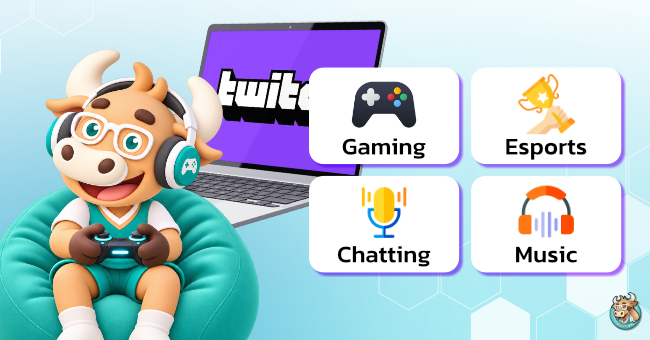
1. Gaming Live Streams From Around the World
Gaming remains one of Twitch's main attractions. Viewers can watch live gameplay from streamers around the world, including FPS, MOBA, RPG, and indie games.
Popular games available on Twitch include:
- VALORANT: A tactical FPS game focused on teamwork and strategy.
- League of Legends: A popular MOBA game with a competitive Esports scene.
- Minecraft: A sandbox game featuring survival, exploration, and creative building.
- Grand Theft Auto V: An open-world game known for gameplay and roleplay content.
- Fortnite: A game featuring Battle Royale and creative game modes.
Viewers can also learn gameplay techniques, team strategies, and tips for completing challenging levels from experienced streamers.
2. Esports Competitions and Gaming Tournaments
For competitive gaming fans, Twitch is another platform for following Esports tournaments. Some tournament organizers and official broadcasting channels use Twitch to stream competitions. Viewers can support their favorite teams, follow commentary and match analysis, and interact with other gaming fans through live chat. However, broadcasting rights depend on tournament organizers and viewing regions.
3. Just Chatting: Live Conversations With Streamers
The Just Chatting category focuses on conversations between streamers and their audiences without necessarily involving gameplay. Content may include everyday stories, discussions about current events, Q&A sessions, or interactive activities with viewers. This category is particularly suitable for people who enjoy following streamers' personalities and lifestyles.
4. Music, IRL, and Creative Content
Beyond gaming and conversations, Twitch also features other types of content:
- Music: Singing, musical performances, and live concerts.
- IRL (In Real Life): Travel, outdoor activities, and real-life experiences.
- Art: Drawing, design, and creative projects.
- ASMR: Audio-focused content designed around listening experiences.
These categories make Twitch a platform for many types of creators, not just gamers.
Twitch vs. YouTube: What's the Difference?
Although both Twitch and YouTube support live streaming, each platform has different strengths.
|
Feature |
Twitch |
YouTube |
|
Main focus |
Live streaming and communities |
On-demand videos and live streaming |
|
Gaming content |
Dedicated gaming categories and streamers |
Gaming and various other content |
|
Viewer interaction |
Strong focus on live chat |
Comments and live chat |
|
Past broadcasts |
VOD availability depends on settings and retention periods |
Videos available according to channel publishing settings |
|
Creator support |
Subscriptions, Bits, and other features |
Memberships, Super Chat, and other features |
If you enjoy watching live streams and interacting directly with streamers, Twitch may be the better choice. However, YouTube is another suitable platform for gaming tutorials, reviews, and recorded videos.
How to Watch Twitch Live Streams for Beginners
Watching Twitch live streams is easy through the website or mobile app. You don't need a gaming device or a high-performance computer to enjoy streams.
How to Watch Twitch on a Computer
Windows and macOS users can start watching Twitch by following these steps:
- Open a web browser and visit the Twitch website.
- Select a recommended live stream from the homepage or use the search bar.
- Search for the game or streamer you want to watch.
- Click your preferred channel to open its live broadcast.
- Adjust the volume, video quality, or fullscreen settings as needed.
If you regularly watch certain streamers, creating a Twitch account makes it easier to follow channels and manage your favorites.
How to Watch Twitch on Mobile
Android and iOS users can download the Twitch app from the Google Play Store or App Store. After installing the app, you can search for channels, watch live streams, and adjust video quality based on your internet speed. If you're using mobile data, remember to check your remaining data allowance, as high-resolution live streaming can consume significant amounts of data.
How to Find Gaming Streams and Channels
If you're unsure what to watch, visit the Browse section to explore categories such as popular games, Just Chatting, or Music. Twitch also provides Tags that help users find streams based on language, gameplay style, or content type, making it easier to discover channels that match their interests.
Is Twitch Free? Do You Need an Account?
Twitch is generally free to watch. Viewers don't need an account to access most public live streams. However, creating an account unlocks additional features, including following channels, participating in chat, and managing favorite streamers. Free viewers may encounter advertisements while watching. Certain features or content may also have specific requirements depending on the channel.
Twitch Follow vs. Subscribe: What's the Difference?
One common question among new Twitch users is the difference between following and subscribing to a channel.
Follow (Free)
Following a channel is completely free. It allows you to easily find your favorite streamers and choose to receive notifications when they go live.
Subscribe (Paid Membership)
Subscribing is a way to financially support streamers through Twitch's subscription system. Subscriptions generally involve a fee that varies by membership tier and region. Subscribers may receive benefits such as custom chat emotes, subscriber badges, or other perks determined by each channel. If you only want to watch live streams, following channels is usually enough. You don't need to subscribe to every streamer.
Does Twitch Show Ads During Live Streams?
Free Twitch viewers may see advertisements before or during live streams. Ad frequency and formats depend on channel settings and Twitch's advertising system. If you want to support your favorite streamer, you can consider subscribing. However, ad-related benefits depend on the channel's settings and subscription terms. Subscribing to one channel doesn't automatically remove ads from every Twitch stream.
Twitch Features You Should Know
Beyond watching live streams, Twitch includes features that encourage viewers to interact with streamers and their communities.
Twitch Chat: Interact With Streamers in Real Time
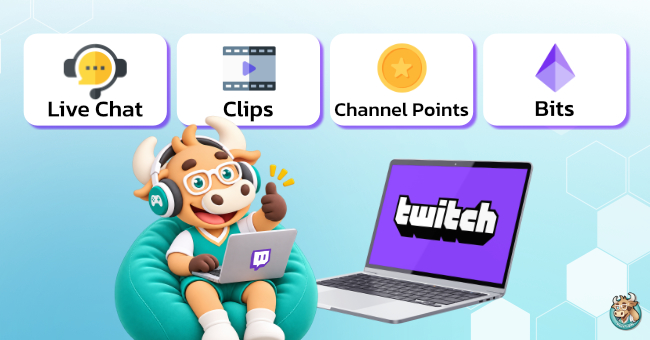
Live Chat is one of Twitch's most important features, making it different from traditional video platforms. Viewers can send messages, share opinions, and use emotes during broadcasts. However, streamers may establish channel rules or enable restrictions such as Followers-only Chat and Subscribers-only Chat to manage their communities.
Twitch Clips: Share Memorable Live Stream Moments
Twitch Clips allows users to create short videos from memorable moments in eligible live streams or recorded content. These moments might include exciting victories, funny incidents, or impressive gameplay. Clips can be shared on other platforms, depending on channel permissions and settings, allowing people who missed the original stream to enjoy its highlights.
What Are Channel Points and Bits?
Channel Points are rewards that viewers can earn while watching eligible Twitch channels. Viewers can redeem these points for rewards or activities determined by streamers, such as answering questions or activating special interactions. Bits, on the other hand, are a paid feature that allows viewers to support streamers by sending Cheers in chat. Purchasing and using Bits is subject to Twitch's terms and conditions.
Can You Watch Twitch Streams After They End?
If you miss a Twitch live stream, you may be able to watch it later through the platform's Video on Demand (VOD) system. This depends on whether the streamer has enabled recording and published the video. Not every channel provides past broadcasts, and some recordings may be automatically deleted after their retention period expires, depending on account type and Twitch's policies.
Twitch Clips vs. VOD: What's the Difference?
VOD (Video on Demand) refers to recorded live broadcasts that can range from several minutes to multiple hours. It's ideal for viewers who want to watch an entire stream after it ends.
Clips are short videos highlighting specific moments. They're better suited for watching highlights or sharing entertaining moments without viewing the full broadcast.
How to Start Streaming Games on Twitch
Besides watching content, users can also create their own gaming streams on Twitch. Before going live, it's important to prepare the necessary equipment and ensure your internet connection is stable.
Equipment Needed for Twitch Streaming
Basic equipment for streaming games on Twitch includes:
- A computer or device capable of streaming
- A stable internet connection with sufficient upload speed
- A microphone for communicating with viewers
- Headphones or suitable audio equipment
- Streaming software such as OBS Studio
A webcam is optional. While it allows viewers to see your reactions, it isn't necessary for every channel, especially those focused primarily on gameplay.
How to Go Live on Twitch
- Create a Twitch account and configure your account security settings.
- Open the Creator Dashboard to manage your channel.
- Install streaming software such as OBS Studio.
- Connect your streaming software to your Twitch account.
- Configure video, audio, resolution, and game capture settings.
- Enter a stream title, select a game category, and check your setup.
- Run a test stream before starting your actual broadcast.
Beginners should choose a streaming resolution that matches their internet upload speed and test their audio quality beforehand. Streaming at excessively high resolutions may cause buffering or playback issues for viewers.
Why Is Twitch Not Working? Common Problems and Fixes
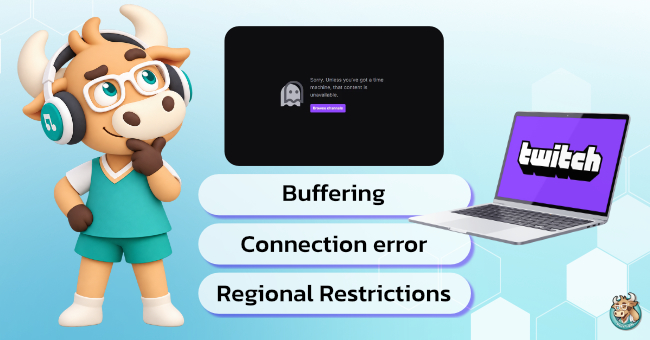
Although Twitch is accessible through web browsers and mobile devices, users may occasionally experience problems such as Twitch not loading, slow website performance, videos failing to play, or buffering during live streams. These issues can have several possible causes.
1. Twitch Not Working Due to an Unstable Internet Connection
If your internet connection is too slow or unstable, videos may not load smoothly, especially when watching high-resolution live streams. Try switching from Wi-Fi to mobile data or connecting to a more stable network. If the problem only occurs on Wi-Fi, check your router and wireless signal quality.
2. Twitch Not Loading Due to Browser or App Issues
Outdated browsers, accumulated cache files, or certain browser extensions may interfere with Twitch. Try refreshing the page, updating your browser, opening Twitch in Incognito mode, or temporarily disabling extensions that may affect video playback. If you're using the mobile app, make sure you have the latest version installed.
3. Twitch Live Streams Buffering or Showing Low Video Quality
If Twitch opens normally but live streams keep buffering or appear blurry, your internet speed may not be sufficient for the selected video quality. Try lowering the resolution from 1080p to 720p or selecting Auto so Twitch can automatically adjust video quality based on your network conditions. This may help reduce buffering and improve playback stability.
4. Twitch Blocked by Network or Regional Restrictions
Certain networks, including workplaces, schools, and public Wi-Fi networks, may restrict access to specific websites or streaming services. Additionally, some Twitch broadcasts may have regional restrictions due to licensing agreements or broadcasting rights. As a result, viewers in certain countries may be unable to access particular content even when the Twitch website itself is available. Before attempting a fix, check whether the issue is caused by your network, device, or content licensing restrictions.
How to Watch Twitch With BullVPN
For users traveling abroad or connecting through networks with certain restrictions, watching Twitch with a VPN may be another option for managing their internet connection. A VPN, or Virtual Private Network, creates an encrypted connection between your device and a VPN server. It also changes the public IP address that websites can see.
BullVPN is a VPN service offering servers in multiple countries, with support for Windows, macOS, Android, and iOS. It can be useful for users who want to improve their online privacy or try a different network route when experiencing connectivity problems.
Unblock Twitch From Anywhere in the World
How to Connect to Twitch Using BullVPN
Follow these steps to get started:
- Download BullVPN and install the app on your device.
- Create a BullVPN account and log in.
- Choose a server in your preferred country, such as Thailand, Japan, or Singapore.
- Click Connect to establish a VPN connection.
- Open the Twitch website or app and test the live stream again.
If your connection becomes slow or live streams start buffering, try switching VPN servers. You can also compare performance with and without the VPN to determine which connection works better.
What Should You Know Before Using a VPN for Twitch?
Although a VPN can change your connection route and improve online privacy, it doesn't guarantee that every Twitch access issue can be resolved. This is particularly important for content restricted by licensing agreements or regional broadcasting rights. Twitch may detect VPN usage in certain situations and prevent access to geographically restricted content. Therefore, users should check the platform's terms and content viewing rights before using a VPN. You can also learn more about VPN technology and how virtual private networks work to choose a connection method that best suits your needs.
Frequently Asked Questions About Twitch (FAQ)
Is Twitch Available in Thailand?
Yes, Twitch is generally accessible in Thailand through its website and mobile app. Users can watch live streams and follow their favorite streamers. However, certain broadcasts may have regional viewing restrictions.
Do You Have to Pay Monthly for Twitch?
No. Watching most Twitch content is free, and a monthly subscription isn't required. However, subscribing to individual channels or purchasing certain features may involve additional charges.
Can You Watch Twitch on Mobile?
Yes. Twitch is available on Android and iOS devices through its mobile app. Users can watch live streams, discover channels, and participate in live chat, depending on each channel's settings.
Can You Watch Twitch Live Streams After They End?
Yes, if the streamer has enabled recording and the video is still available. You can usually find recorded broadcasts in the channel's Videos section. However, some recordings may be deleted after their retention period expires.
Can BullVPN Make Twitch Streaming Faster?
It depends on your network conditions and connection route. If the VPN provides a better network route than your original connection, it may improve connection stability in certain situations. However, using a VPN doesn't guarantee faster streaming speeds or eliminate buffering in every case.

Twitch is a popular platform for watching gaming streams, Esports competitions, and live content from creators around the world. If you enjoy watching Twitch or frequently travel abroad, BullVPN offers another way to connect to the internet with greater privacy. With servers available in multiple countries, BullVPN helps change your public IP address and encrypt your internet connection. Easy to use and compatible with computers and mobile devices, BullVPN makes it more convenient to stay connected wherever you go.

BullVPN supports multiple payment methods
✅ Mobile Banking (QR Code)
✅ Credit Card/Debit Card
✅ Stripe
✅ True Wallet
✅ PayPal
✅ Transfers bank account