
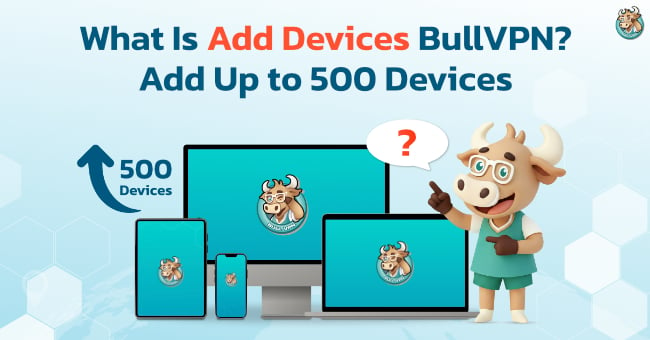
Nowadays, most people do not access the internet from just one device. Many use a smartphone, computer, tablet, or Android TV, and some may also want to use a VPN with family members or team members. As a result, the number of devices included with a standard package may not always be enough.
BullVPN Add Devices is an option that allows users to increase the number of devices that can use BullVPN under the same account, without creating a new account or purchasing a separate VPN package. It is suitable for users who want to expand from just a few devices to larger-scale usage for teams and organizations.
What Is BullVPN Add Devices?
Add Devices is a feature that lets you increase the number of devices that can log in and connect to BullVPN at the same time under one account.
BullVPN packages for 1 month, 3 months, 6 months, 1 year, and 2 years include 4 devices by default. The 7-day package supports 1 device and does not allow additional devices to be purchased.
If you are using a package that supports 4 devices and later need to connect more devices, you do not need to create another account. You can use Add Devices to increase the number of devices based on your needs.
What Does “Device” Mean in BullVPN?
A Device refers to a device that logs in and connects to BullVPN, such as a smartphone, computer, tablet, or Android TV.
For example, if your account supports 4 Devices, you can use BullVPN on up to 4 devices at the same time. These can include Windows, macOS, iOS, Chrome Extension, Android, or Android TV, all of which are supported platforms.
In short, Device refers to the number of devices that your account can use simultaneously.
Who Is BullVPN Add Devices For?
Add Devices is not limited to business or enterprise users. It can be used by individual users with multiple devices, families, teams, schools, businesses, and organizations that need a larger number of connected devices.
For individual users, for example, you may have one smartphone, one work computer, one tablet, and one Android TV. In this case, the 4 Devices included with the package may be enough. However, if you add another computer or a new device later, your existing Device limit may no longer be sufficient.
For families, the number of devices can increase quickly because each person may have their own phone, computer, or tablet. Teams, businesses, schools, or organizations may need tens or even hundreds of devices.
BullVPN allows existing users to add anywhere from 1 to 500 Devices through the Add Devices feature on the BullVPN website.

Why Add More Devices If BullVPN Already Includes 4 Devices?
Here is a simple example.
When you first start using BullVPN, you may have:
iPhone + Android + Laptop + Tablet = 4 Devices
In this case, the number of Devices included with your package is enough.
Later, if you add a Smart TV and another computer, you will have a total of 6 Devices.
If you want all 6 devices to remain under the same BullVPN account without having to repeatedly remove and switch devices, you can simply purchase 2 additional Devices.
The idea behind Add Devices is not that every user needs to purchase more devices. Instead, it gives users the flexibility to increase their Device limit when their usage needs change, while continuing to use the same account and existing package.
BullVPN Add Devices Discounts
For users who need to add a larger number of devices, BullVPN offers volume-based discounts. The discount increases depending on the number of Devices selected, with a maximum discount of 35% when adding 400–500 Devices.
|
Additional Devices |
Discount |
|
10–19 Devices |
5% |
|
20–49 Devices |
10% |
|
50–99 Devices |
15% |
|
100–199 Devices |
20% |
|
200–299 Devices |
25% |
|
300–399 Devices |
30% |
|
400–500 Devices |
35% |
In addition to the discount tiers shown below, users with an active package can also enter a custom quantity from 1–500 Devices based on their actual needs.The final Add Devices price does not depend only on the number of devices selected.
When purchasing additional Devices for an active BullVPN package, the system calculates the price based on both the number of Devices selected and the number of remaining subscription days.
This means that the additional Devices will follow the remaining duration of your current package instead of starting as a completely separate subscription.
How Many BullVPN Devices Should You Add?
The right number depends on how many devices you actually need to use.
The easiest way to determine this is to count all the devices you want to use with BullVPN, such as smartphones, computers, tablets, or TVs, and compare that number with the number of Devices already included with your account.
For example, if you have 6 devices and your account already supports 4 Devices, you may only need to add 2 more Devices. There is no need to purchase 10 Devices simply to receive a discount if you do not actually need that many.
However, families, teams, or organizations that expect their number of devices to continue growing may want to consider quantities such as 10, 20, 50 Devices, or more, as these levels qualify for volume discounts.
What Should You Know Before Adding BullVPN Devices?
Before purchasing, check how many Devices your account currently supports and how many additional Devices you actually need. This helps avoid purchasing too many or too few.
If you already have an active BullVPN package, you can add Devices later through the BullVPN website without waiting for your current package to expire. You can select anywhere from 1–500 additional Devices.
Currently, additional Devices purchased after your initial package order must be purchased through the BullVPN website. Purchasing additional Devices from within the BullVPN app is not yet supported.
Customers can purchase additional Devices when their BullVPN package has more than 3 days remaining.
The 7-day package is an exception. It supports only 1 Device and does not allow additional Devices to be purchased. To use the Add Devices feature, you must have a BullVPN package of at least 1 month.
Adding Devices During Purchase vs. Adding Devices Later
BullVPN allows users to increase their Device limit in two different ways, depending on whether they are purchasing a new package or already have an active BullVPN subscription.
If you are purchasing a new package, you can add Devices during the checkout process on the BullVPN website. When purchasing Devices together with a new package, you can add up to 20 Devices.
If you already have an active BullVPN package and need more Devices later, you can use the Add Devices page to increase the Device limit on your existing package. You can choose from 1–500 additional Devices, and the system will calculate the price based on the remaining subscription days.
Therefore, if you already know that you will need to use BullVPN on many devices when purchasing your package, you can add the required number of Devices during checkout.
If your number of devices increases later, you can use Add Devices without purchasing a new Main Package.

BullVPN Add Devices allows users who need more devices than their current package supports to increase their Device limit while continuing to use the same account and subscription. There is no need to create a separate VPN account.
Users can add Devices based on their actual needs, ranging from individual use to large-scale organizational use. Volume discounts are available, with discounts of up to 35% for 400–500 additional Devices.
For users with an active BullVPN package, the system calculates the Add Devices price based on both the number of Devices selected and the remaining duration of the current subscription, making it easier to expand usage based on actual needs.
FAQ
What Devices Can I Use With BullVPN Add Devices?
You can use additional Devices on any platform supported by BullVPN, including Windows, macOS, iOS, Android, Chrome Extension, and Android TV.
Additional Devices increase the total number of devices that your account can use and are not limited to a specific type of device.
What Should I Do If I Have More Than 4 Devices?
If you are using a BullVPN package of 1 month or longer and your current Device limit is not enough, you can purchase additional Devices through the BullVPN website without purchasing a new package.
Do I Need to Purchase at Least 10 Devices?
No. Users with an active BullVPN package can enter a custom quantity from 1–500 Devices on the Add Devices page.
Quantities such as 10, 20, 50, 100, and 500 Devices are associated with different discount levels, but you are not required to purchase a minimum of 10 Devices.
Can I Purchase Add Devices Through the BullVPN App?
Not at the moment. Additional Devices must currently be purchased through the BullVPN website. Purchasing Add Devices directly from within the BullVPN app is not yet supported.
BullVPN will give you freedom internet world through block restrictions.
✅ Hide your IP address
✅ Access blocked websites
✅ VPN servers in 300 Servers in 49 countries
✅ Lag reduced and ping Games
✅ Supports Windows, Mac, iPhone, Android, Chrome Extension, Android TV
✅ Trusted by over a hundred thousand users worldwide