
In today's digital world, technology continues to evolve at an incredible pace. However, growing alongside it is an increasingly serious and sophisticated threat: cybersecurity attacks. Cyber threats are no longer distant problems that only affect large organizations. They have become a part of everyday life for internet users around the world.
One of the most commonly mentioned cybersecurity terms, yet one that many people still do not fully understand, is Malware. Many people assume malware is simply a computer virus, but in reality, it is far more complex than that.
In this guide, we'll take a deep dive into what malware is, explore common malware examples, and discuss how to protect yourself against these silent digital threats.
What Is Malware?
Malware is short for Malicious Software. It is a broad term used to describe any software, application, or code intentionally designed to damage, disrupt, infiltrate, or gain unauthorized access to computers, networks, smartphones, and servers.
Simply put, malware is often the starting point of many forms of digital damage. Cybercriminals and hackers frequently use malware as a tool to carry out attacks, steal information, or compromise systems.
Understanding what malware is is extremely important. If you do not know what your enemy is, it becomes much harder to defend yourself effectively. In today's connected world, malware is one of the most common cyber threats that individuals and organizations face. Learning what Malware is is the most important first step, because ultimately, Malware is one of the main forms of cyber threats we need to defend against.
How Does Malware Work?
Understanding how malware works can help you recognize risks and stay alert to potential threats.
In general, malware begins by exploiting vulnerabilities in operating systems, applications, or even human behavior through social engineering techniques. Once it successfully infiltrates a target device, the next stage typically involves spreading itself, establishing persistence, and executing malicious instructions.
The exact way malware operates depends on its type and intended purpose.
Common Ways Malware Spreads
- Phishing attacks, where cybercriminals send phishing emails or deceptive messages. These phishing emails often contain malicious links.
- Public Wi-Fi risks that do not have proper security protection. The dangers of using public Wi-Fi include making it easier for hackers to intercept data or infiltrate devices.
- Downloading pirated software, cracked programs, or visiting unsafe websites, which are often linked to different forms of phishing.
- Using external devices, such as USB flash drives.
What Happens After Malware Infects a Device?
Once malicious software successfully enters a system, the malware lifecycle continues through a process of installation and persistence.
You may begin noticing signs such as slower system performance, unusual pop-up advertisements, unexpected software behavior, or unauthorized activities occurring in the background.
At this stage, the malware attack may progress to more serious actions, including data theft, file encryption, account compromise, or complete system takeover. In many cases, a malware attack is essentially an attempt to infiltrate, control, and exploit a device or network without the owner's permission.
How Many Types of Malware Are There?
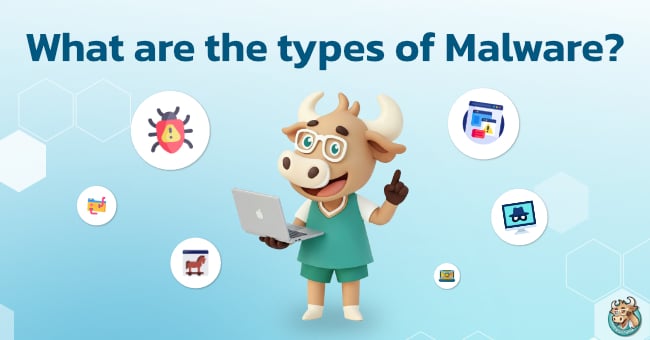
There are many different types of malware, and each type operates differently and poses varying levels of risk. Understanding the different categories of malware can help users identify suspicious behavior more quickly and choose appropriate security measures.
Some of the most common examples of malware include Viruses, Worms, Trojans, Ransomware, Spyware, and Adware.
Virus
A computer virus is one of the most well-known types of malware. A virus works by attaching itself to legitimate files, programs, or documents. When a user opens the infected file, the virus becomes active and begins spreading to other files within the system.
Depending on its design, a virus can slow down a device, corrupt files, cause software malfunctions, or disrupt normal system operations.
Worm
A worm is a type of malware capable of spreading rapidly because it can replicate itself automatically and distribute across networks without requiring user interaction.
Unlike a virus, a worm does not need a user to open an infected file to spread. If a single device within an organization becomes infected, the worm can quickly propagate to other devices on the same network.
For this reason, worms are considered a significant cyber threat capable of causing extensive damage to corporate and enterprise environments.
Trojan
A Trojan, or Trojan Horse, is malware that disguises itself as legitimate software. It may appear as a free application, game, installation package, or seemingly useful tool.
Once a user downloads and installs the Trojan, it can create a backdoor that allows attackers to gain remote access to the device, steal sensitive information, or install additional malware without the user's knowledge.
Because Trojans rely on deception rather than self-replication, they are particularly effective at bypassing user suspicion.
Ransomware
Ransomware is a type of malware specifically designed to target and hold data hostage. After gaining access to a system, Ransomware encrypts important files such as documents, photos, databases, and business records. The victim is then presented with a ransom demand in exchange for the decryption key needed to regain access to the files.
Ransomware is one of the most financially damaging forms of malware because it can disrupt business operations, cause data loss, and result in significant recovery costs.
Spyware
Spyware is malware designed to secretly monitor and collect user information. It may record browsing activity, login credentials, passwords, credit card information, and even keystrokes entered on a keyboard. One of the most dangerous aspects of spyware is that victims are often unaware they are being monitored until their information has already been stolen or misused.
Adware
Adware is malware primarily designed to display excessive advertisements on a user's device. These advertisements may appear as pop-ups, banners, browser redirects, or unexpected promotional content. While adware may not be as destructive as ransomware or spyware, it can significantly degrade system performance, create an annoying user experience, and sometimes redirect users to malicious websites that contain additional malware.
How Does Malware Impact Users?
The consequences of a malware infection go far beyond slow device performance or annoying advertisements. Malware can affect personal information, financial security, online accounts, and overall digital safety.
This is especially true when malware is delivered through phishing attacks or phishing email that trick users into clicking malicious links, downloading infected files, or entering sensitive information into fake websites.
1. Personal Information and Passwords May Be Stolen
Certain types of malware, such as Spyware and Trojans, can secretly collect sensitive user information including usernames, passwords, credit card details, browsing history, and online banking credentials.
If this information falls into the hands of cybercriminals, it can be used for identity theft, unauthorized account access, or fraudulent transactions.
2. Important Files May Be Locked or Destroyed
Ransomware is a prime example of malware capable of causing severe damage. It can encrypt files stored on a device, preventing access to documents, photos, work files, and databases.
Attackers then demand payment in exchange for restoring access. Unfortunately, even if the ransom is paid, there is no guarantee that the files will be recovered.
3. Devices May Become Slow or Unstable
Some malware continuously operates in the background, sending data to remote servers, downloading additional malicious files, or consuming system resources without permission.
As a result, computers and mobile devices may become noticeably slower, experience rapid battery drain, suffer from poor internet performance, or display unexpected software behavior.
4. Online Accounts May Be Hijacked
If malware captures login credentials or authentication cookies, attackers may gain access to social media accounts, email accounts, or online banking services.
This can lead to account takeover, impersonation, fraudulent communications, or illegal activities conducted using the victim's identity.
5. Businesses May Experience Operational and Reputational Damage
For organizations, malware attacks can result in system outages, customer data breaches, website downtime, and disruptions to online services.
The damage extends beyond technical recovery costs and often includes loss of customer trust, reputational harm, and potential legal consequences.
6. Increased Risk on Unsecured Networks
One of the dangers of using public Wi-Fi is the increased risk of connecting to compromised or malicious networks.
Users may unknowingly expose their information to interception or be redirected to fraudulent websites. Without adequate security measures, the likelihood of malware infections and other cyber threats increases significantly.
Basic Ways to Protect Yourself from Malware
Although malware is one of the most common cyber threats today, the good news is that users can significantly reduce their risk through simple everyday security practices.
Effective malware prevention involves more than relying on security software alone. It requires a combination of safe online behavior, regular system maintenance, and the use of appropriate security tools.
Keep Your Operating System Updated
Regularly updating your operating system is one of the most important cybersecurity practices, yet it is often overlooked.
System updates typically include security patches that fix vulnerabilities discovered by software vendors. Cybercriminals frequently exploit weaknesses in outdated versions of Windows, macOS, Android, and iOS to gain access to devices.
Leaving a device unpatched for an extended period is similar to leaving the front door unlocked. To reduce risk, users should enable automatic updates whenever possible and keep essential applications such as web browsers, email clients, and productivity software up to date.
Download Software Only from Trusted Sources
Another effective way to prevent malware infections is to download software only from official websites, trusted app stores, or reputable providers.
Users should avoid pirated software, cracked applications, suspicious file converters, and installation files obtained from unknown sources.
Many forms of malware, particularly Trojans and Adware, are often disguised as legitimate software. Once installed, malicious code may be silently deployed onto the device without the user's knowledge.
Before downloading any software, users should verify the website, developer information, user reviews, and the legitimacy of the download source. Suspicious download buttons embedded in advertisements should also be avoided.
Be Careful with Links and Attachments
Phishing attacks and phishing emails remain among the most common methods used to distribute malware.
Cybercriminals often impersonate banks, shipping companies, streaming platforms, government agencies, or popular online services to persuade users to click malicious links, download infected files, or submit personal information.
Before clicking a link or opening an attachment, users should verify the sender's identity, inspect the email domain, check the destination URL, and carefully review the language used in the message.
Extra caution should be taken when messages create a sense of urgency, such as claims that an account will be suspended, a package is waiting for delivery, or a prize has been won. These tactics are commonly used to pressure victims into acting before verifying the information.
Use Antivirus Software and a VPN
Using appropriate security tools can significantly reduce the risk of malware infections.
Antivirus software helps detect, scan, quarantine, and block potentially malicious files and programs before they can cause damage. Keeping antivirus definitions updated is essential to ensure protection against newly discovered threats.
In addition, using a VPN can enhance online privacy, particularly when connecting through public or unfamiliar networks. Although a VPN cannot directly detect or remove malware, it serves as an additional layer of protection that helps improve overall online security.
How Can a VPN Help Reduce Malware Risks?
While a VPN cannot identify or remove malware in the same way that antivirus software can, it still plays an important role in strengthening online security.
This is especially true when users connect to unfamiliar networks or environments where cybersecurity risks may be higher.
For people who frequently access the internet outside their homes, using a trusted VPN service such as BullVPN can help improve privacy and reduce exposure to certain types of cyber threats during online activities.

Enhance Privacy While Using the Internet
One cybersecurity risk that is often overlooked is the danger of using public Wi-Fi networks.
Public Wi-Fi hotspots may provide opportunities for attackers to intercept data transmitted across the network. In some cases, malicious actors may even create fake Wi-Fi access points designed to collect user information.
A VPN helps protect users by encrypting internet traffic between their device and the VPN server. This encryption makes it significantly more difficult for third parties to monitor, intercept, or access sensitive information during transmission.
Information such as login credentials, emails, browsing activity, and personal data becomes more difficult to capture when encrypted through a VPN connection.
For users who frequently travel, work remotely, study abroad, or regularly connect to public Wi-Fi networks, enabling BullVPN before accessing important websites and online services can provide an additional level of privacy and peace of mind while browsing the internet.
BullVPN will make your VPN connection invisible as if you are invisible
Most importantly, the user's usage data and personal data will always be protected and secured. This gives users unlimited access to social, videos, music, games, and other entertainment from all over the world.
