
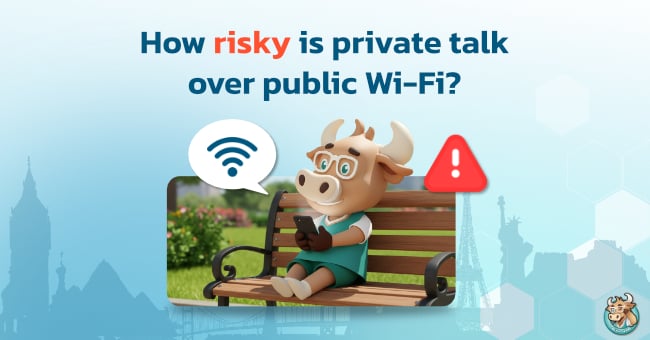
Using public Wi-Fi at cafes, airports, or shopping malls has become a standard part of the digital lifestyle. However, behind this convenience lies a risk that many overlook, especially when engaging in private conversations, whether through messaging apps, work emails, or financial transactions.
In this article, Big Bull will take a deep dive into the risks of private chatting over public Wi-Fi, clarify the facts, and show you how to protect yourself to ensure your online world is safer than ever.
What is Public Wi-Fi?
Public Wi-Fi refers to wireless internet networks available for free or for a fee in various locations, such as cafes, airports, malls, hotels, or even on public transport. These are networks that we do not own or manage ourselves.
Types of Public Wi-Fi
- Open Networks: Networks that allow instant connection without a password. These are the most dangerous because the transmitted data is often unencrypted.
- Captive Portals: Networks that require registration via a web page (entering a name, phone number, or social media login). While they seem more structured, they are still public networks where you share resources with strangers.
Why is Public Wi-Fi Dangerous?
Understanding how wireless networks function helps clarify why public Wi-Fi is risky. These networks are designed for easy access, meaning their security standards are often lower than private home networks. Data transmitted via radio waves is essentially broadcast into the air; without sophisticated encryption, cybercriminals with the right tools can eavesdrop on or intercept communications instantly.
Common Data Interception Techniques
Man-in-the-Middle (MitM)
A hacker inserts themselves between your device and the Wi-Fi router. All data you send or receive passes through the hacker’s device first, allowing them to view, modify, or record sensitive information without you noticing.
Packet Sniffing
Using specialized software to capture data packets floating in the air. Unencrypted data, such as chat messages, passwords, or browser info—can be decoded. Hackers can also steal your IP Address to launch further attacks.
Evil Twin
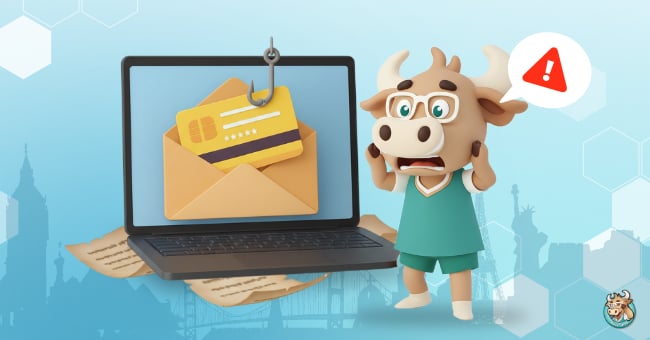
Hackers set up a fake Wi-Fi hotspot with a name that looks trustworthy (e.g., a cafe's free Wi-Fi). Once you connect, your data flows directly through the hacker's machine.
What Private Data is at Risk of Leaking?
Once you understand how data is intercepted, the next step is to identify which types of information are most targeted. Many assume that general conversations carry no risk, but in reality, public Wi-Fi risks extend to deep insights that can cause immense damage.
Chat Messages and Photos
If an app lacks strong End-to-End Encryption (E2EE), hackers may see your texts or photos, which could include IDs, addresses, or sensitive info.
Identity Theft
Private conversations often mention full names, phone numbers, or birthdays. Hackers use this for Brute Force attacks on passwords or for identity fraud.
Session Hijacking
Hackers can steal Cookies or Session IDs to impersonate you on websites you’ve logged into, gaining access without ever needing your password.
Is Free Wi-Fi Safe? Risk Assessment Table by Usage Type
Is using public Wi-Fi dangerous? It does not depend on the network alone, but also on the tools used for data transmission and the strength of their encryption. Since each application and website has different security standards, the risk of data interception varies.
Some platforms may have sophisticated security systems that provide a certain level of confidence for sending private information. Conversely, if the tools used lack modern encryption, that data can easily leak.
|
Usage Type |
Risk Level |
Reason |
|
Chat Apps |
Medium |
Usually encrypted, but non-E2EE features can be intercepted. |
|
Email (Gmail, etc.) |
Low-Medium |
HTTPS is used, but Metadata (subject lines, sender) may leak. |
|
Voice/Video Calls |
High |
If encryption is weak, live conversations can be eavesdropped. |
|
Non-HTTPS Sites |
Very Dangerous |
All data entered is sent as Plain Text. |
How to Prevent and Reduce Public Wi-Fi Risks
Even though we know the risks, in real life, we sometimes cannot avoid relying on the internet outside our homes. Whether it is checking urgent work emails while waiting for a flight or searching for information while resting in a cafe, telling someone to stop using it entirely would be difficult. Therefore, what is more important is knowing how to protect yourself correctly, so you can use it with peace of mind without having to constantly worry that your private data will leak into someone else's hands. For maximum security when it is necessary to connect to external networks, I have guidelines that I would like you to follow.
1. Use a VPN every time you connect to the internet outside.
This is the method I want to emphasize making into a habit the most. Using a VPN is like creating a private secret tunnel to cover our data. All information will be encrypted into unreadable code from the moment it leaves our device until it reaches its destination. Even if a cybercriminal manages to intercept the signal, they will only see meaningless code. Additionally, a VPN helps hide IP Address, making it impossible for anyone to identify your location or track your usage behavior, which reduces the dangers of using public Wi-Fi most effectively.
2. Primarily observe the HTTPS security standard.
Before entering a password or sensitive information into any website, try to scan your eyes at the address bar for a moment. A secure website should always start with https:// and have a padlock icon. The additional "S" is a confirmation that the data communicated with that website is initially encrypted, helping to screen public Wi-Fi risks in the first step.
3. Do not set your devices to connect to Wi-Fi automatically.
I recommend turning off the Auto-Connect feature on your mobile phones or laptops. This is because sometimes our devices might try to be helpful and grab a signal with a name identical to a network we have used before, but it turns out to be a fake network intentionally released by hackers as a lure. Choosing to connect manually every time will help us verify the network name for sure before putting our data at risk.
4. Add a final fortress with Two-Factor Authentication (2FA).
In a world where nothing is certain, having only one layer of password may not be enough. I want you to enable 2FA on every important account because even if a hacker is clever enough to steal your password, they still cannot access your account without an OTP code from your mobile phone or an authenticator app. It is considered a final move that provides excellent security.
 Online privacy is never free; public Wi-Fi risks are a close-to-home matter that every user must be aware of. If it is necessary to discuss important matters or conduct financial transactions, switching to mobile data or enabling a VPN is a safe choice to prevent the dangers of using public Wi-Fi and keep your private data safe from the hands of cybercriminals.
BullVPN will make your VPN connection invisible as if you are invisible
Most importantly, the user's usage data and personal data will always be protected and secured. This gives users unlimited access to social, videos, music, games, and other entertainment from all over the world.
